- Product Leadership
Empowering and Accelerating Documentation Needs of A Fortune 500 Energy Company
A Fortune 500 energy company was facing a problem of having different teams document processes and technical systems without using any standards. Users of this information found it hard to navigate, difficult to comprehend and wildly inconsistent between resources.
With 500+ pages of existing content and 200+ planned pages, they needed a way to migrate historic documents as well as produce new documentation in a consistent and easy-to-use manner.
My Role
Design Lead — I led design strategy for the documentation wiki design system, collaborating with data systems architects and domain leads across 11 specialized teams to build scalable templates and visual standards from the ground up.
Managed the end-to-end design and structural strategy to transform Morgan Stanley’s internal ecosystem into a cohesive user portal. Facilitated contextual interviews with 20 employees alongside an analysis of legacy systems to architect task-based and role-based information architecture for real-world workflows. I designed 17 responsive screen templates and the core portal visual language, while building a specialized engineering diagram library—complete with technical icons, specialized components, and real-world reference blueprints to standardize technical documentation. The final handoff provided a robust, fully documented component system engineered for scalable enterprise adoption.
I created a unified documentation framework — wiki templates, a diagram design system, and usage guidelines — that gave domain architects a consistent, professional way to communicate technical concepts without spending time on formatting decisions.
The Challenge
Architects across 11 specialized domains—from Data Governance to Cloud Data Warehouse to Data Science—were creating documentation independently across multiple platforms, resulting in a lack of uniformity that undermined the organization’s technical authority and created usability barriers for stakeholders.
Key Problems
- Working groups operated independently with no shared standards or templates
- Existing documentation scattered across disconnected platforms (wiki)
- Inconsistent diagram styles, color use, and visual language across teams
- No guidance on the proper creation or formatting of technical documentation
- Teams using different tools and approaches created duplication and conflicting information
- Migration of 500+ pages at risk without clear structure or formatting standards
- Technical teams spending time on formatting rather than architectural work
Business Impact
- Inconsistent documentation quality undermined credibility with stakeholders
- Time wasted recreating diagrams and templates from scratch
- Difficult for executives and business partners to understand technical concepts
- Risk of errors and misunderstandings due to unclear or conflicting visuals
- High costs of maintaining multiple disconnected documentation platforms
- Migration to Azure DevOps threatened to perpetuate existing chaos without intervention
The Goal
Design a comprehensive documentation framework—including wiki templates, diagram design system, and usage guidelines—that ensures consistency, enhances accessibility, and improves how technical and non-technical audiences consume architecture documentation, while enabling architects to focus on technical work rather than formatting.
The Approach
Discovery Workshop
We orchestrated a multi-day, hybrid interactive Design Thinking workshop bringing together architects from all 11 domains to align on needs, share challenges, and co-create solutions.
Workshop Activities
- Evaluate the current wiki landscape, gathering sentiment and challenges
- Discuss the wiki requirements to align on optimal organization
- High-level review of the systems architecture of the current data landscape and technologies
- Review blueprint and reference architecture patterns and domain-specific customization needs
- Brainstorm improvement opportunities
Insights
- Commonality Exists Across Domains: All architecture teams needed similar foundational elements: clear information architecture, consistent navigation, and standard formatting for documents.
- Diagrams Were the Biggest Pain Point: Architects spent excessive time creating diagrams from scratch with no consistent visual language, color standards, or component library—resulting in wildly different diagram styles even within the same presentation.
- Maximum of One Custom Template Per Domain: While baseline templates could serve most needs, each architecture domain had unique aspects requiring custom solutions. We established that custom variations would be provided as needed.
- Migration Strategy Critical: With 500 pages of existing content to migrate, automated content migration would minimize time and cost, allowing the budget to focus on higher-priority template and design system development.
Teams across the organization were managing documentation in their own bespoke way and systems. This created challenges for users of this data.
Design System & Template Development
Based on workshop insights, we developed a comprehensive framework consisting of three integrated components: baseline wiki templates for common structure, custom templates for domain-specific needs, and a diagram design system to ensure visual consistency.
Baseline Wiki Templates
Strategy: Account for core organization of information (IA), navigational needs, and formatting of documents based on commonalities identified across reference architectures and blueprints.
Deliverables
- Baseline Reference Architecture Template: One template specifying common/required sections for all reference architecture documentation
- Baseline Blueprint Template: One template specifying common/required sections for all blueprint documentation
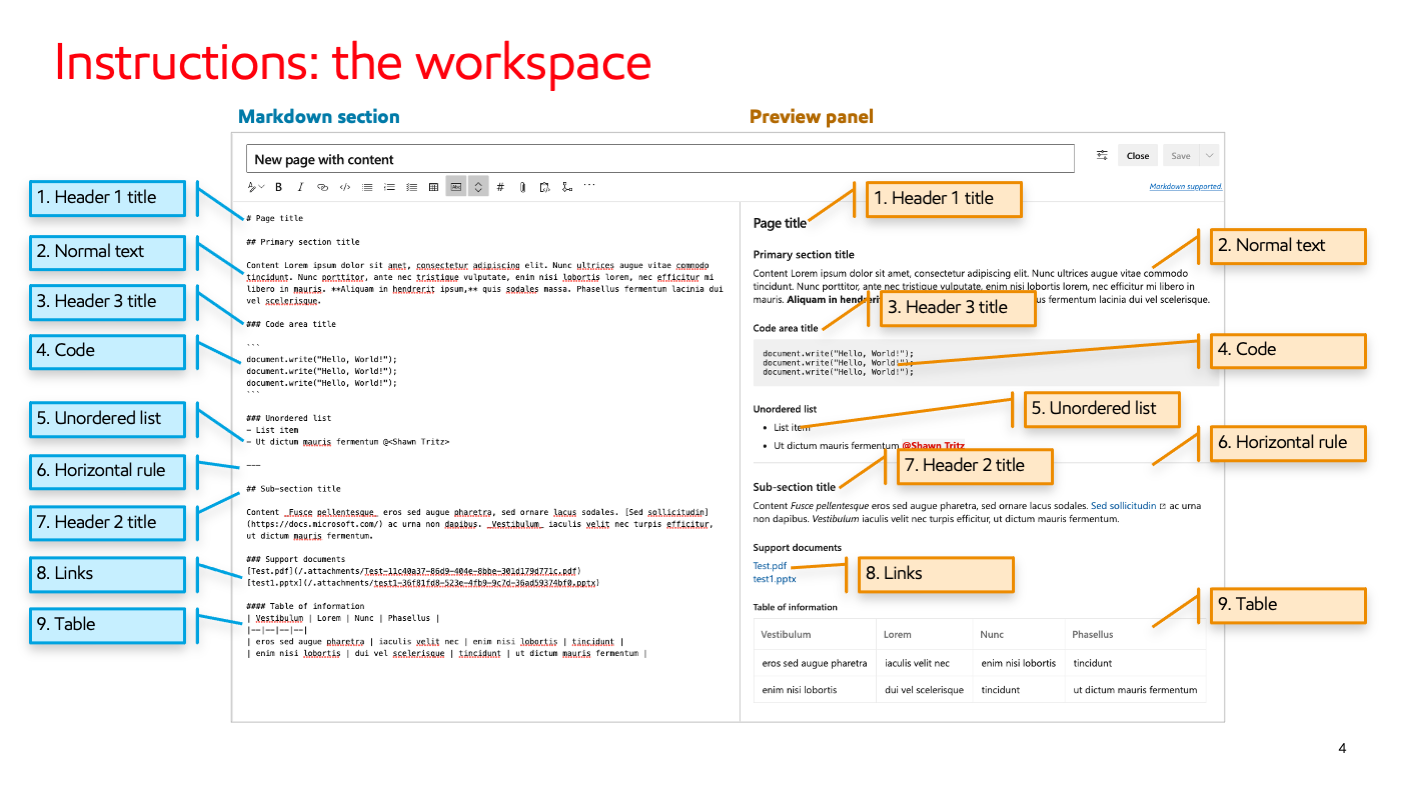
- Wiki Structure/Format Template: Guidance document for how wiki pages should be formatted and organized
- Proper creation and usage guidelines for wiki content
Custom Domain Templates
Strategy: Provide custom solutions as needed, building upon the baseline structure, ensuring overall consistency, flexibility for domain needs, and ease of maintenance.
Deliverables
- 11 Reference Architecture Template Variations: One per domain
- 9 Blueprint Template Variations: One per domain as required
- Custom solutions at maximum of one per architecture and blueprint area
Diagram Design System
Strategy: Create a comprehensive visual language and component library enabling consistent, professional diagram creation across all architecture domains using a unified design language. This system allows users to rapidly create architecture diagrams that are consistent and easy to understand.
Visual Elements
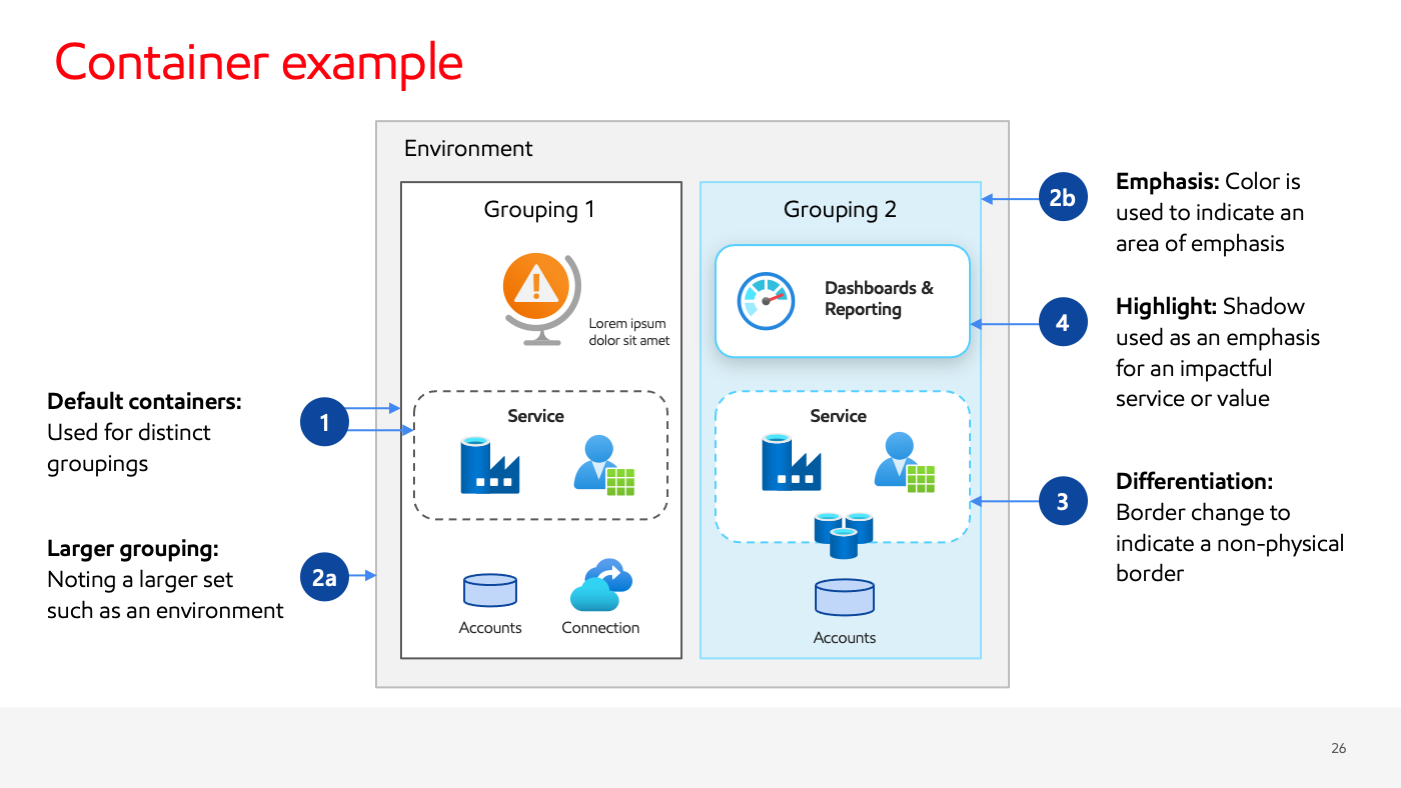
- Diagram visualization component patterns for consistent shapes, connectors, spacing and containers
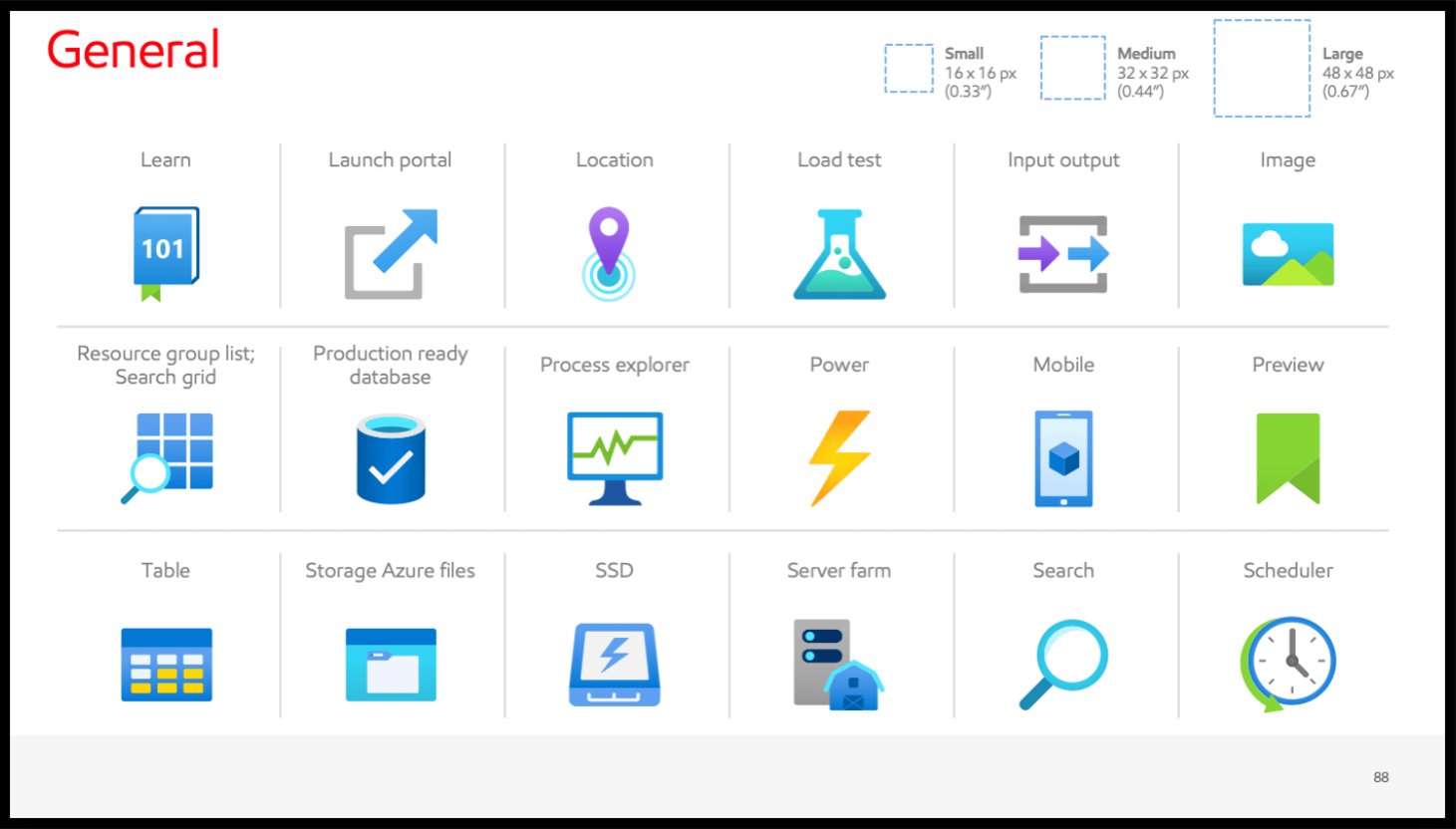
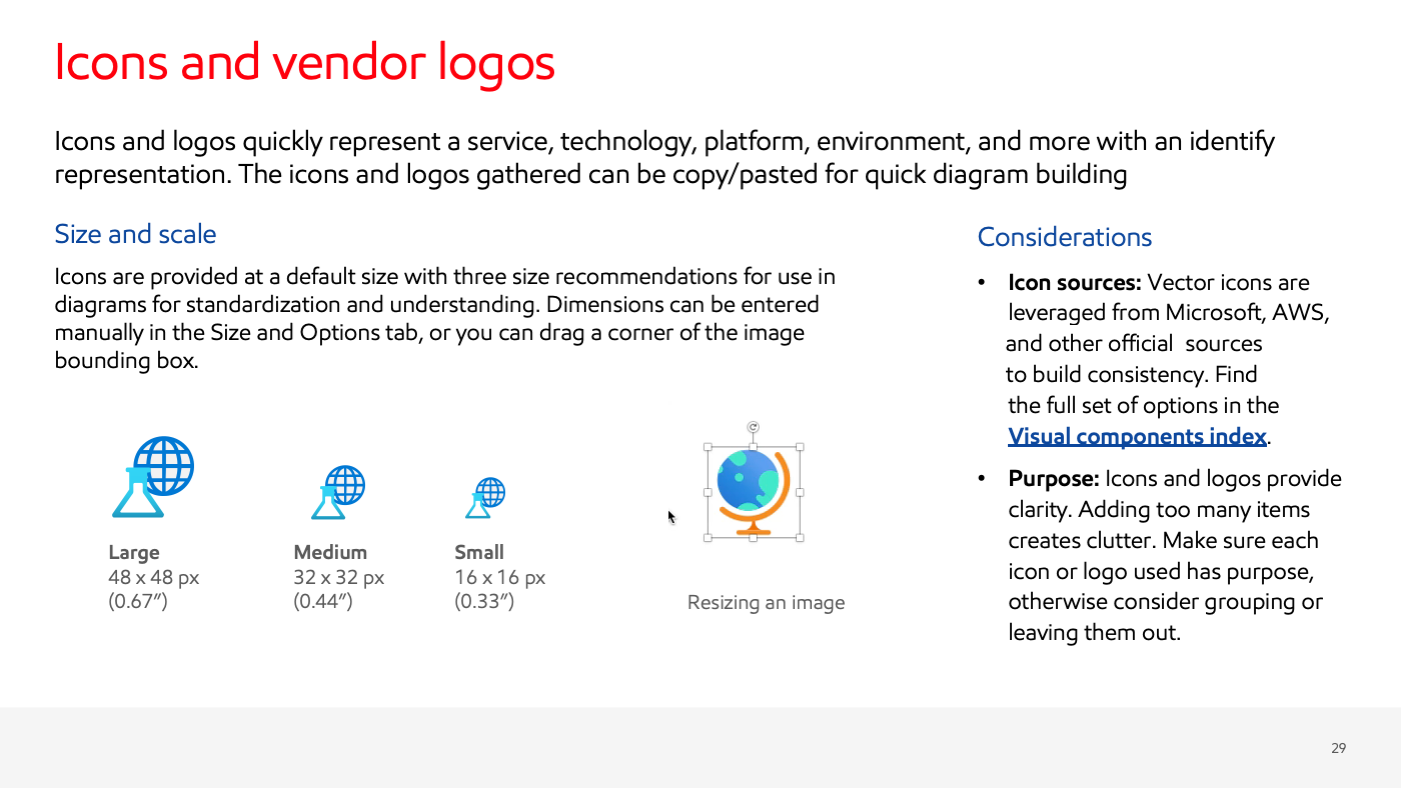
- A library of icons and vendor logos with proper usage guidelines
- Prebuilt branded color palette with accessibility considerations
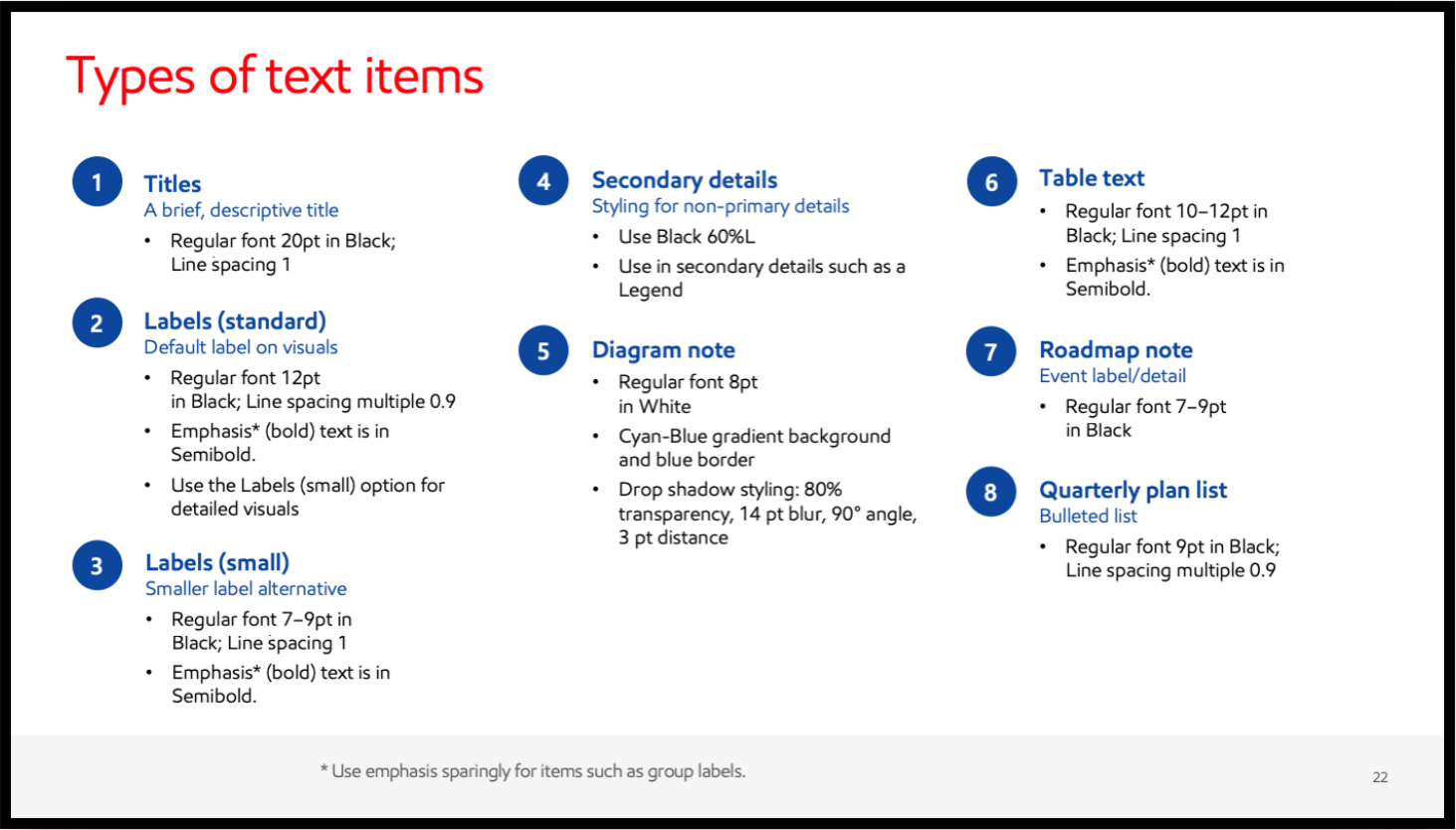
- Text formatting hierarchy and standards
Usage Guidelines
- Providing guidance on how to create consistent, branded diagrams of varying complexities
- Best practices for diagram compositing and layout
- Guidance on optimizing diagram visuals for clarity and comprehension
Example Diagrams
Showcasing the design system and library in use through three examples across the different levels of complexity
The Impact
This project required more than someone to put everything in one place with a template design — it needed someone to work across 11 independent architecture teams, each with strong opinions and domain-specific needs.
By facilitating Design Thinking exercises, I built consensus around baseline standards while validating where customization was genuinely necessary. The result was a tiered framework: strong baseline templates for commonality, strategic customization where truly needed, and a flexible diagram system that could accommodate every use case.
What that made possible was a shift in how architects spent their time — away from recreating diagrams and wrestling with formatting decisions, and toward the technical work that actually required their expertise.